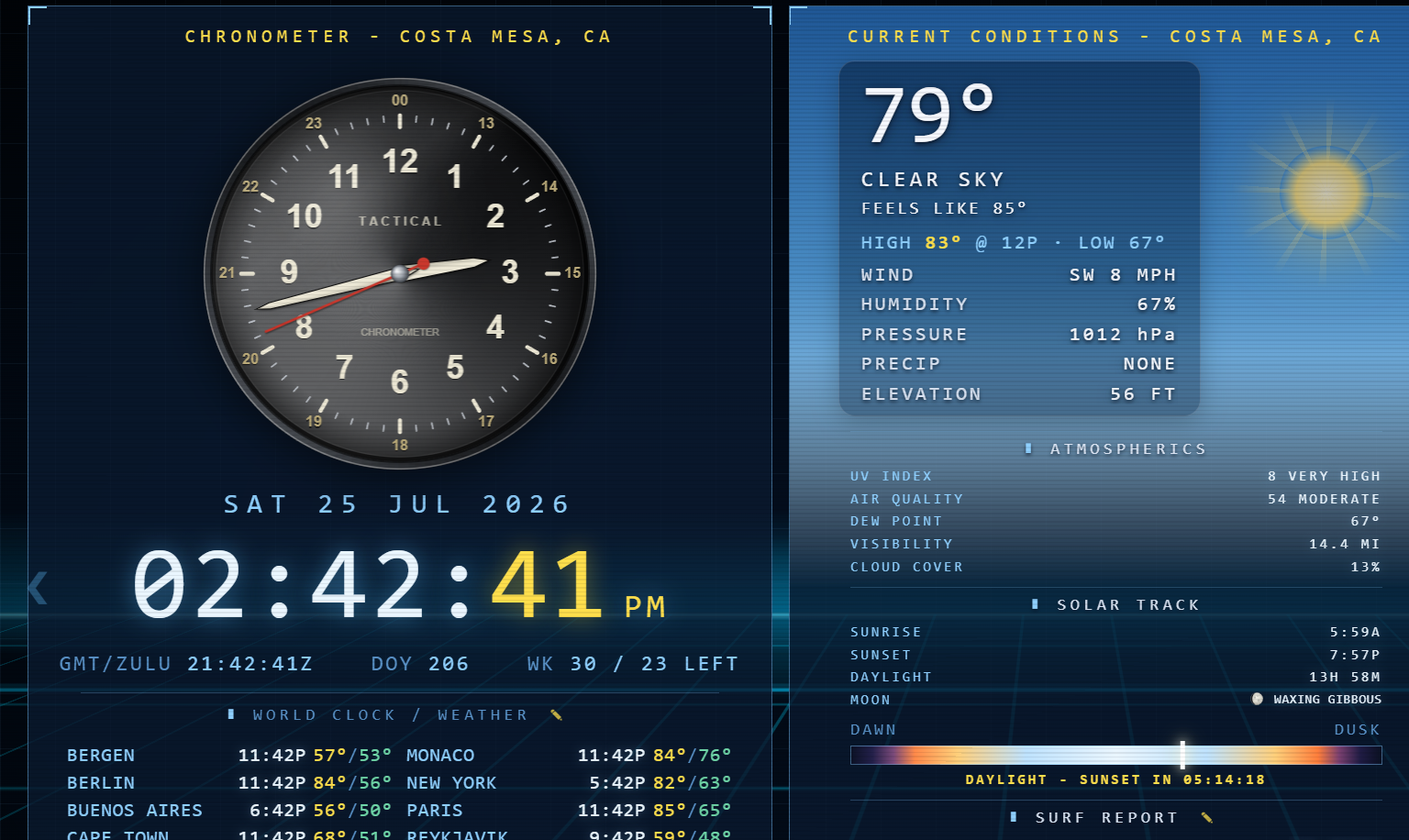
Tactical Display turns any screen into a mission console. Live weather, radar, 10-day forecasts and 10-year climate averages lead the way — then wire in news, markets, mail, system telemetry, surf, ski, concerts, or any feed you want. Runs as a desktop app, a screensaver, and straight off your phone's home screen.
The whole point started with weather — so it goes deep. Everything below tracks your location automatically, or any city on the world clock with a tap.
Weather is the anchor, not the ceiling. Tactical Display ships with a stack of extra pages — and a custom page builder that drops any website or dashboard onto its own tactical tab.
Live world/tech/AI headlines and per-topic feeds, auto-refreshing.
Stocks, indices, metals, crypto & FX with movers and finance news.
Microsoft 365 inbox, calendars & tasks — read at a glance.
Full hardware read-out — CPU, GPU, RAM, network, battery, benchmarks.
Top snowfall resorts and best breaks worldwide, ranked live.
Live shows near you, grouped by genre with ticket links.
Point a tile at any URL — a Grafana board, a webcam, a status page, your own dashboard — and it becomes a first-class tactical page in the rotation.
Turn pages off, rename them, and set the order. Keep the console lean — only the feeds your mission needs.
One dashboard, every screen. Same live data, same look — desktop window, full-screen screensaver, or a home-screen app on your phone.
A resident window with a live taskbar weather widget. Ctrl+Alt+T throws it full-screen over anything.
When you step away, your machine becomes a glowing command console instead of going dark.
Add it to your iPhone or Android home screen — full-screen, no app store, no install.
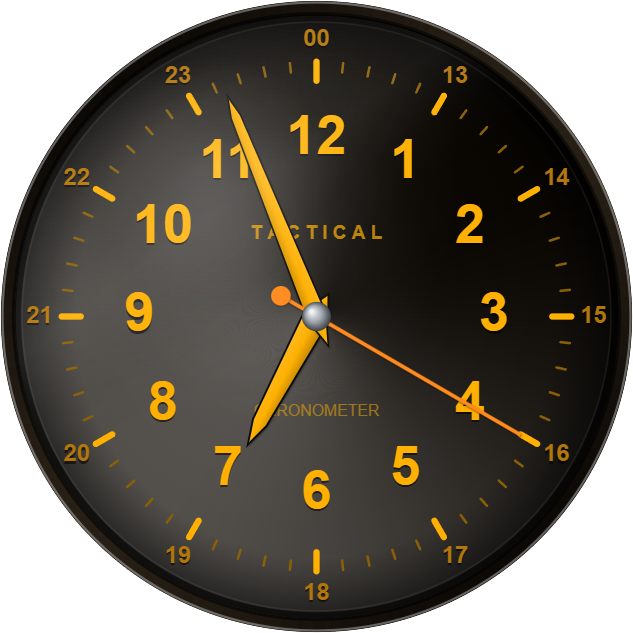
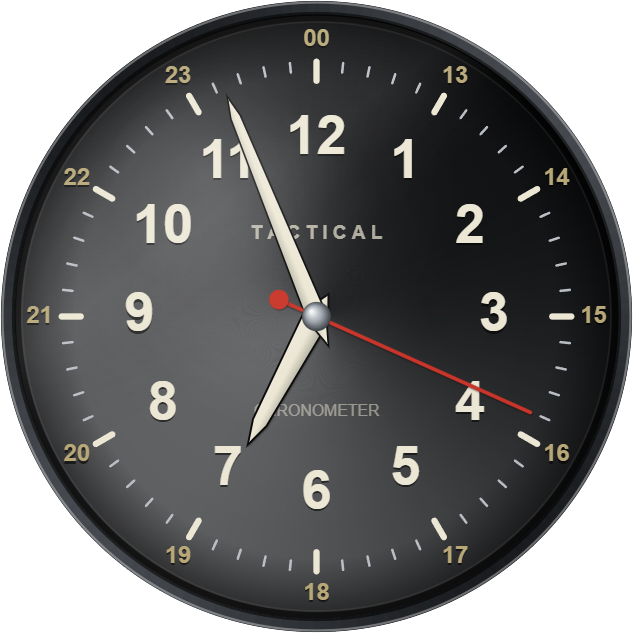
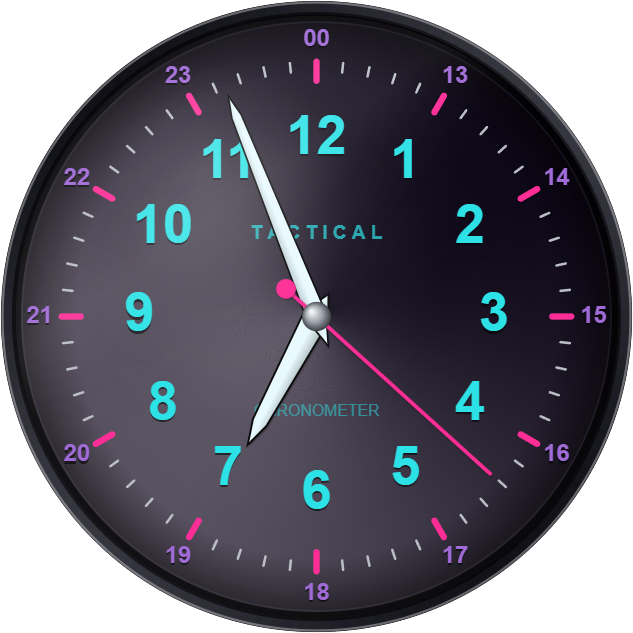
23 built-in themes, a re-skinnable analog chronometer, and 230+ world weather sets — set it once and it's yours.
Every theme re-skins the entire console — panels, fonts, radar, background and the watch — in one tap. Grouped exactly like the app: design styles (looks & regions) and faithful classic technology palettes.
A photoreal analog watch with a 12-hour civil field dial or a 24-hour military dial — and it re-skins with every theme, right down to the metal, lume and hands. Same movement, every palette:
Anyone on the planet can pick their region — US states, European countries, Asian metros, the Caribbean, Australia, South America, every continent — and the world clock, forecasts, radar and 10-year climate averages all follow your local favorite cities. Or build your own list.
Free. No account required. Pick your platform below.
The resident desktop app + live taskbar weather widget, as one portable .exe — just run it, nothing to unzip. First launch shows a SmartScreen prompt: More info → Run anyway (unsigned, self-contained).
Deploying to a fleet? See Support → Silent install.
One portable .scr — right-click → Install (or Test to preview) to set it as your screensaver. Nothing to unzip; the runtime is bundled inside.
One double-click file that opens the dashboard full-screen. After downloading, right-click → Open the first time (Gatekeeper).
Prefer a proper .app with an icon? One line in Terminal builds it locally (no quarantine, no signing):
curl -fsSL https://tacticaldisplay.app/install-mac.sh | bash
A signed .saver bundle is on the roadmap. In the meantime, the macOS app above runs full-screen as a live kiosk — leave it open and it fills the display like a screensaver.
Add it to your home screen so it opens full-screen:
Chrome pops up Install app automatically — one tap. If not:
Rolling it out to a fleet, or have something to tell us? You're in the right place.
The .MSI installs per-machine to C:\Program Files\TacticalDisplay and takes the standard Windows Installer switches, so it drops cleanly into SCCM, Intune or GPO.
msiexec /i TacticalDisplay.msi /qn
/qn fully silent · /qb basic UI · uninstall msiexec /x TacticalDisplay.msi /qn · verbose log add /l*v install.log. Runs elevated (SYSTEM/admin).
No — it is closed-source software. It is, for now, totally free, with zero monitoring or tracking of any kind built in. Your privacy is respected.
A bug, an idea, or a data feed you'd like wired in — it goes straight to the team.
Tactical Display is a free tactical command-center weather app — a full-screen dashboard that leads with live weather, radar, 10-day forecasts and 10-year climate averages, then lets you wire in news, markets, mail, surf, ski, concerts and more. It runs as a desktop app, a Windows and Mac screensaver, and a home-screen app on iPhone and Android.
Yes — it's completely free, with no account required, no ads, and no upsells. Download it or just open the live demo in your browser.
Windows 10 and 11 (desktop app, screensaver, and an MSI for fleet rollouts), macOS, iPhone and iPad, Android, and any modern web browser — the same live dashboard everywhere.
No. There's no sign-up and no login. It detects your location and shows your local weather instantly — nothing to configure to get started.
No. It's closed-source software built with zero tracking or monitoring. Your location is used only to fetch your weather and is never sold or shared. Your privacy is respected.
Tactical Display pulls live conditions, radar, 10-day forecasts, marine and surf data, air quality, and 10-year climate averages from professional open weather data sources, refreshed continuously.
Yes — the Windows version installs as a full-screen weather screensaver that shows live radar, forecasts and a photoreal chronometer whenever your PC is idle.
Open the app in your browser, tap Share (or the browser menu) and choose Add to Home Screen — it then launches full-screen like a native app. Step-by-step instructions are in the Download section.
Yes — 23 built-in themes (from a Tron grid to Commodore 64, HAL 9000 and more), a re-skinnable analog chronometer, and 230+ curated world weather sets so you can track your favorite cities anywhere on Earth.